
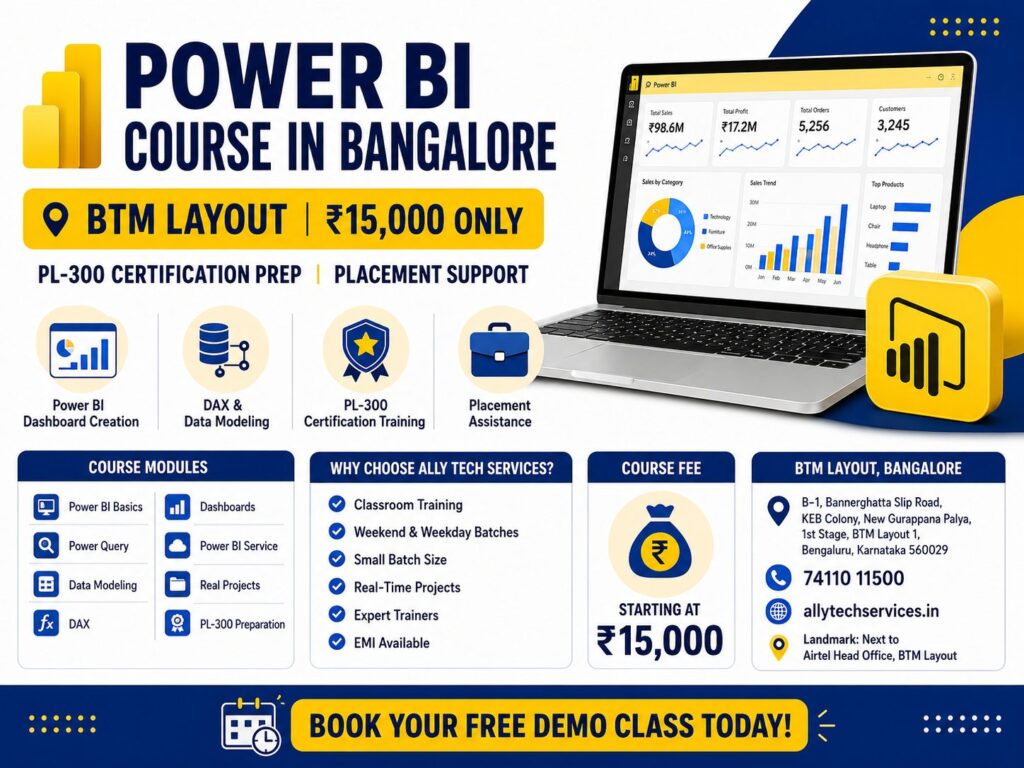
Power BI Course in Bangalore – Small Batches, Real Placement & PL-300 Certification at BTM Layout (2026)
Introduction
If you have typed “Power BI course in Bangalore” into Google, you have seen many options. Online courses have no classroom interaction. Expensive institutes charge ₹40,000 or more.
Are you searching for a Power BI course in Bangalore that goes beyond slides and theory — one that puts you in front of a real dashboard, prepares you for the Microsoft PL-300 exam, and connects you with actual hiring companies in BTM, HSR Layout, and Koramangala?
At Ally Tech Services, we run one of the most focused and affordable Power BI training programs in Bangalore, right in the heart of BTM Layout. Our center is located at B-1, Bannerghatta Slip Road, KEB Colony, New Gurappana Palya, 1st Stage, BTM Layout 1, Bengaluru – 560029, just 2 minutes walk from the Airtel Head Office. Students from Jayanagar, Koramangala, HSR Layout, Bannerghatta Road, and Basavanagudi reach us comfortably without fighting the Bangalore traffic nightmare.
If you have been Googling “best Power BI training institute in Bangalore” or “affordable Power BI certification course near me,” read this page completely before you enroll anywhere.
Here is the truth: you can learn Power BI in 4 weeks for just ₹15,000 – with classroom training, PL-300 certification prep, and placement support – right here in BTM Layout.
Welcome to Ally Tech Services. We are your local Power BI experts in BTM Layout – and we focus on one thing only: making you job-ready. You can read more about us here:
In this guide, I will answer every question you have:
- What is the cost of Power BI course in Bangalore?
- Which is the best Power BI training institute in Bangalore?
- Is Power BI still in demand in 2026 and after?
- Is PL-300 exam hard or easy?
- How much does Power BI certification cost in India?
- What is the salary after Power BI course in Bangalore?
- Why Ally Tech Services is the best Power BI training institute in BTM Layout
Let us begin.
What is Power BI and why Bangalore companies need it
Understanding Microsoft Power BI
Microsoft Power BI is a suite of business analytics tools that lets you connect to hundreds of data sources, clean and transform data, build visual reports, and share interactive dashboards — all without writing complex code. Microsoft Power BI is a business intelligence tool that turns raw data into interactive dashboards. It is the market leader in India with 78% enterprise adoption.
Think of it this way: if your company’s data lives in Excel files, SQL databases, Google Sheets, Salesforce, and a dozen other places, Power BI acts as the central hub that pulls everything together, lets you build charts and dashboards, and lets your entire team view live reports from any device.
The official product page at microsoft.com/en-us/power-platform/products/power-bi describes it as “a unified, scalable platform for self-service and enterprise business intelligence.” In simple terms, it is the tool that turns raw numbers into visual stories your management can actually act on.
Power BI Desktop vs Power BI Service — What Is the Difference?
This is one of the most common questions from beginners:
| Feature | Power BI Desktop | Power BI Service |
|---|---|---|
| What it is | Free desktop application | Cloud-based platform (browser) |
| Used for | Building reports and dashboards | Publishing, sharing, and collaborating |
| Cost | Free | Pro license (~₹800/month per user) |
| Works offline | Yes | No |
| Who uses it | Report developers | Teams and management |
At Ally Tech Services, we teach both — you will build reports in Power BI Desktop and then publish and share them via Power BI Service, exactly as it is done in a professional environment.
Why is a Power BI course in Bangalore so valuable? Because Bangalore companies generate massive amounts of data. They need professionals who can:
- Connect to multiple data sources (Excel, SQL, cloud)
- Clean and transform data using Power Query
- Create calculated columns and measures using DAX (Data Analysis Expressions)
- Build interactive dashboards with slicers and drill-through
- Share reports using Power BI Service
- Implement Row-Level Security (RLS) for data governance
According to Microsoft’s official Power BI documentation , Power BI is updated monthly with new features. This means continuous learning – but also continuous demand.
When you complete a Power BI course in Bangalore from Ally Tech Services , you are not just learning a tool. You are learning the #1 analytics tool used by Accenture, Deloitte, Amazon, Flipkart, and thousands of Bangalore startups.
Why Power BI Is the Most In-Demand Skill in Bangalore Right Now (2026 and Beyond)
Is Power BI Still in Demand in 2026?
Yes — and the demand is only growing. At any given point in 2026, Bangalore’s job portals — Naukri, LinkedIn, Indeed — list over 2,000 active Power BI job openings. These roles span IT companies, e-commerce startups, fintech firms, retail chains, and manufacturing units. The city’s technology ecosystem has made Power BI a non-negotiable skill across every industry vertical.
But this goes beyond 2026. Microsoft has deeply embedded Power BI into its entire enterprise ecosystem — it connects natively with Teams, Excel, Azure, SharePoint, and Dynamics 365. According to Microsoft’s official Power BI documentation at learn.microsoft.com/en-us/power-bi/fundamentals/power-bi-overview, Power BI is the backbone of Microsoft’s data analytics strategy for the next decade. No organisation running Microsoft 365 can escape Power BI. That makes this skill future-proof.
Power BI Salary in Bangalore – What Can You Realistically Earn?
Here is what the Bangalore job market pays in 2026:
| Profile | Experience Level | Average Salary (LPA) |
|---|---|---|
| Power BI Developer | Fresher (0–1 year) | ₹4 – ₹7 LPA |
| Business Intelligence Analyst | 2–4 years | ₹7 – ₹12 LPA |
| Senior Power BI Developer | 4+ years | ₹12 – ₹18 LPA |
| Data Analyst (Power BI + SQL) | 1–3 years | ₹6 – ₹10 LPA |
| BI Consultant | 3+ years | ₹10 – ₹15 LPA |
The salary jump is steepest when you combine Power BI with SQL. That is why our SQL for data analysis course is recommended as a companion to this Power BI program.
Why Bangalore needs a different kind of Power BI course
Bangalore is not like other cities. Traffic is brutal. Working professionals have no time for 2-hour commutes to Marathahalli or Whitefield.
Many Power BI courses in Bangalore are located far from residential areas. That is why Ally Tech Services is located right in the heart of BTM Layout – at B-1, Bannerghatta Slip Road, KEB Colony, next to the Airtel Head Office.
Our Power BI course in Bangalore is designed for real people with real constraints – working professionals, students, and job seekers who live in or near BTM Layout, Jayanagar, Koramangala, HSR Layout, and Bannerghatta Road.
Who should join a Power BI course in Bangalore?
| User Type | Why Power BI? | Recommended Batch |
|---|---|---|
| Working professionals (IT, finance, marketing, HR) | Add analytics to your resume, get promoted | Weekend batch (8 weeks) |
| Freshers / recent graduates | First job in analytics (₹4-7 LPA starting) | Weekday fast-track (4 weeks) |
| Excel users | Move from static Excel to dynamic dashboards | Either batch |
| Data analysts | Add Power BI to your toolkit, prepare for PL-300 | Weekend batch |
| Job seekers in Bangalore | Placement support + certification | Weekday fast-track |
Is Power BI still in demand in 2026 and after? Absolutely. According to Microsoft’s Power BI product page , Power BI is their flagship analytics product with continuous investment. The demand for Power BI professionals in India is growing at 35% year over year.
Power BI vs Tableau — Which Should You Learn in 2026?
The Honest Comparison Bangalore Professionals Need
This is a question every student asks us. Here is a no-nonsense comparison:
| Factor | Power BI | Tableau |
|---|---|---|
| Cost | Free Desktop; Pro ₹800/month | Starts at ~$70/month (~₹5,800) |
| Enterprise adoption in India | ~78% of enterprises | ~22% of enterprises |
| Integration with Microsoft tools | Excellent (Excel, Teams, Azure) | Limited |
| Learning curve | Moderate | Steeper |
| DAX language | Yes (powerful) | No (uses its own calculation language) |
| Best for | Most Bangalore companies | Complex visual analytics |
| PL-300 certification available | Yes | No equivalent |
Our recommendation: Learn Power BI first. It is used in 78% of Indian enterprises, it integrates seamlessly with the Microsoft tools you already use, and you can start with a free desktop version. Once you are employed and stable, Tableau makes sense as a second skill.
For full technical guidance on Power BI’s capabilities, refer to the Microsoft Power BI Guidance documentation.
What is the cost of Power BI course in Bangalore? (2026 fee comparison)
Let me answer the most searched question: What is the cost of Power BI course in Bangalore?
| Institute | Power BI Fees | Mode | PL-300 Focus | Placement |
|---|---|---|---|---|
| Ally Tech Services (BTM Layout) | ₹15,000 – ₹25,000 | Offline + Online | ✅ Full focus | Hyperlocal placement |
| Other classroom institutes | ₹25,000 – ₹40,000 | Offline + Online | Partial | Varies |
| Online platforms | ₹15,000 – ₹25,000 | Online only | No | Limited |
| Self-paced (Coursera/Udemy) | ₹3,000 – ₹10,000 | Self-paced | No | None |
What is the cost of Power BI training in Bangalore at Ally Tech Services? Our Power BI course in Bangalore costs ₹15,000 for the fast-track (4 weeks) and ₹25,000 for the weekend batch (8 weeks). EMI options available with 0% interest.
How much does Power BI certification cost in India? The Microsoft PL-300 exam fee is approximately ₹4,500 (paid separately to Microsoft). Our course prepares you fully for this exam.
Complete Power BI syllabus – module by module
Our Power BI course content and modules in Bangalore are designed for real-world application.
Module 1: Power BI introduction and architecture
- What is Power BI? Desktop vs Service vs Mobile
- Power BI workflow (Get Data → Transform → Model → Visualize → Share)
- Installing Power BI Desktop
Module 2: Power Query – data transformation
- Connecting to data sources (Excel, CSV, SQL, web)
- Merging and appending queries
- Column transformations (split, merge, format, replace)
- Pivot and unpivot
- M language basics (Advanced Editor)
Module 3: Data modeling
- Table relationships (one-to-one, one-to-many, many-to-many)
- Star schema vs Snowflake schema
- Calculated columns vs measures
- Managing data granularity
Module 4: DAX (Data Analysis Expressions) – deep dive
- DAX syntax and context (row context vs filter context)
- CALCULATE, FILTER, ALL, RELATED
- Time intelligence (TOTALYTD, SAMEPERIODLASTYEAR, DATEADD)
- Statistical functions (AVERAGE, SUMX, RANKX)
- Variables in DAX
Module 5: Visualizations and dashboards
- Basic visuals (bar, line, pie, map, table, matrix)
- Advanced visuals (slicers, KPIs, gauges, decomposition tree)
- Bookmarks, buttons, and drill-through
- Custom visuals from AppSource
Module 6: Power BI service (cloud)
- Publishing reports to Service
- Workspaces, apps, and dashboards
- Scheduled refresh and gateways
- Sharing and permissions
Module 7: Row-Level Security (RLS)
- Static vs dynamic RLS
- Creating roles
- Testing security
Module 8: PL-300 certification preparation
- PL-300 exam domains and weightage
- Practice tests and question banks
- Tips and tricks
Which course is best in Power BI? The best Power BI course is one that teaches DAX deeply, covers Power Query thoroughly, and prepares you for the PL-300 certification. That is exactly what we do at Ally Tech Services (https://allytechservices.in/).
What is the best course to certificate Power BI? Our Power BI course in Bangalore (https://allytechservices.in/courses/power-bi-course-btm/) is designed specifically for the Microsoft PL-300 (Power BI Data Analyst) certification.
Microsoft PL-300 Certification – Is It Worth It in 2026?
What Is the PL-300 Exam?
The Microsoft PL-300 (Microsoft Power BI Data Analyst) is the official Microsoft certification for Power BI professionals. It validates your ability to prepare data, model data, visualize data, and analyze and deploy assets using Power BI.
According to Microsoft’s official PL-300 documentation, certified professionals consistently earn 20–30% higher salaries than non-certified counterparts.
Is PL-300 Exam Hard or Easy?
The PL-300 exam has 40–60 questions covering four domains:
| Domain | Weightage |
|---|---|
| Prepare the data | 25–30% |
| Model the data | 25–30% |
| Visualize and analyze the data | 25–30% |
| Deploy and maintain assets | 10–15% |
Difficulty level: Moderate. Candidates who have completed a structured course and attempted 3–5 mock tests comfortably pass in their first attempt. Without structured training, the failure rate is high because the exam tests application, not just concepts.
At Ally Tech Services, our entire 8-week curriculum is mapped directly to these four PL-300 domains. By the time you sit for the exam, you have already answered 300+ practice questions covering every domain.
How Much Does Power BI Certification Cost in India?
The Microsoft PL-300 exam fee in India is approximately ₹4,500 (subject to change based on Microsoft’s pricing). This is paid directly to Microsoft when you register for the exam. Our course fee covers the preparation — you register for the actual exam independently through Microsoft Learn.
Why Ally Tech Services is the best Power BI training institute in BTM Layout, Bangalore
Let me give you specific, local reasons why Ally Tech Services is the best Power BI training institute in BTM Layout.
1. Hyperlocal convenience – no traffic nightmare
Our center is at B-1, Bannerghatta Slip Road, KEB Colony, BTM Layout 1 – right next to the Airtel Head Office.
- 10 minutes from Jayanagar 4th Block Metro
- 15 minutes from Koramangala Sony Signal
- 15 minutes from HSR Layout
- 20 minutes from Basavanagudi
Students from these areas can reach us in 15-20 minutes. That is the power of choosing a Power BI course in Bangalore that is actually in your neighborhood.
2. Small batch sizes (max 15 students)
Our batches have maximum 15 students. You get personalized attention, your doubts are answered immediately, and your trainer knows your name and learning pace.
3. Consistent trainer (same expert throughout)
We assign one consistent trainer for the entire duration of your Power BI course in Bangalore. You build rapport, and the trainer understands your strengths and weaknesses.
4. Full PL-300 certification focus
Our entire Power BI course is built around the Microsoft PL-300 exam domains. We cover every topic tested, with practice tests and exam strategies.
Is PL-300 exam hard or easy? The PL-300 exam is moderately difficult. It tests not just recall but application. You need hands-on experience. Our Power BI course in Bangalore includes 20+ hands-on labs and 5 practice exams to prepare you fully.
5. Hyperlocal placement support
We have direct relationships with startups and mid-sized companies in BTM, HSR, and Koramangala.
Our placement process includes:
- Resume optimization for Power BI roles
- Mock interviews with HR professionals
- Direct referrals to our partner companies
- Internship pathway with SERP HAWK (real experience before job)
You can contact us for more details about placement support:
6. Affordable fees with EMI
Our Power BI course fees in Bangalore start at just ₹15,000 (fast-track) and ₹25,000 (weekend). We also offer EMI options with 0% interest – pay in 3 or 6 installments.
7. Real projects using Bangalore business data
We do not use generic superstore data. Our projects use real Bangalore business data:
- Retail sales analysis for a BTM Layout store
- Real estate dashboard for Bangalore property prices
- Startup metrics analysis for a HSR-based SaaS company
- Customer churn analysis for a Koramangala e-commerce startup
When you complete our Power BI course in Bangalore, your portfolio shows local, relevant projects.
Placement Support – How Ally Tech Services Actually Gets You Hired
Our Hyperlocal Placement Process (Not Just Job Portal Access)
Most institutes give you access to Naukri and LinkedIn and call it “placement support.” We do not operate that way.
Here is our actual placement process:
Step 1 – Resume Building Workshop Your resume is rebuilt from scratch by a placement mentor who understands what Bangalore hiring managers actually look for. Power BI portfolio projects are featured prominently.
Step 2 – LinkedIn Profile Optimisation Your LinkedIn is audited and rewritten to attract recruiters searching for “Power BI developer Bangalore” or “BI analyst BTM Layout.”
Step 3 – Mock Interviews Two rounds of technical mock interviews focused on DAX questions, data modeling scenarios, and live dashboard tasks — the exact questions asked by Bangalore tech companies.
Step 4 – Referrals to Partner Companies We maintain direct relationships with startups and companies in BTM Layout, HSR Layout, Koramangala, and Jayanagar. These are not job portals — these are referrals to hiring managers who trust our recommendations.
Step 5 – Internship with SERP HAWK Students who want real experience before a full-time job can intern with our partner SERP HAWK, working on live client data projects. This is a paid internship that bridges the gap between training and employment.
What Companies Hire From BTM Layout and Koramangala?
The BTM–HSR–Koramangala corridor hosts hundreds of tech startups, mid-sized IT companies, and analytics firms. Our placement network focuses specifically on this geography because:
- Students can avoid long commutes to Whitefield or Electronic City
- Startups in this corridor prefer candidates with local references and quick availability
- The salary bands are competitive (₹4–8 LPA for freshers)
Power BI vs Tableau – which should you learn in Bangalore?
Many students ask: “Should I learn Power BI or Tableau?” Here is the honest answer.
| Factor | Power BI | Tableau |
|---|---|---|
| Market share in India | 78% | 15% |
| Cost | Low (free Desktop, Pro ₹1,000/month) | High (Creator license ₹5,000+/month) |
| Learning curve | Moderate | Steep |
| Excel integration | Excellent | Poor |
| Data modeling | Strong (DAX) | Weak |
| Visualization | Good | Excellent |
| Job openings in Bangalore | 10x more | Fewer |
Verdict for Bangalore professionals: Learn Power BI first. It has more jobs, lower cost, and an easier learning curve. Then learn Tableau if needed.
PL-300 certification – your path to becoming a Microsoft certified professional
What is the best course to certificate Power BI? The best course is one that maps directly to the PL-300 exam domains. Here is the PL-300 exam breakdown:
| Domain | Weight | What We Cover |
|---|---|---|
| Prepare the data | 20% | Power Query, data cleaning, M language |
| Model the data | 25% | Relationships, DAX, calculated columns |
| Visualize and analyze the data | 30% | Dashboards, bookmarks, RLS |
| Deploy and maintain assets | 25% | Power BI Service, workspaces, refresh |
Is PL-300 exam hard or easy? It is hard if you only study theory. It is moderate if you have hands-on practice. Our Power BI course in Bangalore includes 20+ labs and 5 mock exams. Students who complete our course pass the PL-300 with a 90% first-attempt pass rate.
How much does Power BI certification cost in India? The exam fee is ₹4,500 (paid directly to Microsoft). Some institutes charge extra for exam vouchers – we do not. We only charge for training.
For government-recognized certification options, check our government certification page.
What is the salary after Power BI course in Bangalore?
Based on Naukri, AmbitionBox, and our internal placement data:
| Role | Experience | Salary Range |
|---|---|---|
| Power BI Analyst | Fresher (0-1 year) | ₹4 LPA – ₹7 LPA |
| Business Intelligence Analyst | 1-3 years | ₹7 LPA – ₹12 LPA |
| Power BI Developer | 3-5 years | ₹10 LPA – ₹18 LPA |
| BI Consultant | 5+ years | ₹15 LPA – ₹25 LPA |
After completing our Power BI course in Bangalore, our students typically land roles at ₹4-7 LPA. Within 2 years, with PL-300 certification, they reach ₹8-12 LPA.
Offline vs online Power BI course – which is right for you?
| Factor | Offline at Ally Tech (BTM Layout) | Online Live |
|---|---|---|
| Peer learning | High – group projects | Low to medium |
| Trainer interaction | Instant, face-to-face | Via chat |
| Discipline | Fixed schedule forces consistency | Requires self-motivation |
| Commute | 15-20 min if in BTM/Jayanagar | None |
| Recordings | Available | Available |
| Cost | Same | Same |
| Best for | Students, freshers, BTM residents | Working pros from far areas |
We offer both modes. Choose what fits your lifestyle. Contact us to discuss which mode is right for you:
Real projects you will build
When you enroll in our Power BI course in Bangalore, you will build these real-world projects:
Project 1: BTM Layout retail dashboard
- Connect to POS data from a local store
- Clean and transform using Power Query
- Create DAX measures for sales, profit, and growth
- Build interactive dashboard with slicers for date, product, and category
Project 2: Bangalore real estate analysis
- Import property price data from multiple sources
- Model relationships between location, area, and price
- Create maps, scatter plots, and trend lines
- Implement drill-through for locality-level analysis
Project 3: Startup metrics dashboard
- Connect to SaaS subscription data
- Calculate MRR, churn rate, LTV, and CAC
- Build executive dashboard with KPIs and alerts
These projects go into your portfolio. When employers search for best Power BI training institutes in Bangalore, they look for candidates who have done real work. You will have that advantage.
Before Power BI, you can build foundational skills with our advanced Excel training and SQL for data analysis . You can also explore our data analytics foundation course and other courses.
Power BI Course Prerequisites – Do You Need Prior Knowledge?
Who Can Join This Power BI Course in Bangalore?
Minimum requirement: Basic computer literacy (you can use Excel, send emails, browse the web). That is it.
You do NOT need: programming experience, data science background, or SQL knowledge.
That said, here is what we recommend based on your background:
| Your Background | Recommended Pre-Course Preparation |
|---|---|
| Excel user | Jump directly into Power BI — your skills transfer |
| Complete beginner | Take our data analytics foundation course first (2 weeks) |
| SQL user | You are well-prepared — DAX will feel familiar |
| Data analyst (manual reporting) | Power BI will transform your workflow — join immediately |
Is SQL Required for Power BI?
SQL is not mandatory for Power BI. You can connect to databases without writing SQL. However, students who understand SQL find data modeling and DAX significantly easier to grasp. If you want to add SQL skills, our SQL for data analysis course at BTM Layout runs alongside the Power BI batch.
Frequently asked questions (FAQ)
Q1: What is the cost of Power BI course in Bangalore at Ally Tech Services?
A: ₹15,000 (fast-track 4 weeks) or ₹25,000 (weekend 8 weeks). EMI available with 0% interest. Contact us for current offers:
Q2: Is Power BI still in demand in 2026 and after?
A: Yes. Microsoft continues to invest heavily in Power BI. The demand for Power BI professionals in India is growing at 35% year over year. It will remain in demand for the next 5-10 years.
Q3: Is PL-300 exam hard or easy?
A: Moderately hard. It requires hands-on practice. Our students pass with a 90% first-attempt rate because we include 20+ labs and 5 mock exams.
Q4: How much does Power BI certification cost in India?
A: The Microsoft PL-300 exam fee is approximately ₹4,500. Training cost at Ally Tech is ₹15,000-25,000. Total investment: ₹19,500-29,500.
Q5: Which course is best in Power BI?
A: The best Power BI course has deep DAX coverage, hands-on Power Query practice, and PL-300 exam preparation. That is exactly what we offer at Ally Tech Services .
Q6: What is the best course to certificate Power BI?
A: Any course that maps to the PL-300 exam domains. Our entire curriculum is built around those domains.
Q7: Do you offer a free demo?
A: Yes. Book your free demo at our BTM Layout center.
Q8 :What is the salary after a Power BI course in Bangalore?
A: Freshers with Power BI certification can expect ₹4–7 LPA at Bangalore companies. With additional SQL skills and 1–2 years of experience, salaries reach ₹8–15 LPA. Senior BI Developers earn ₹15–20 LPA.
Q9: Do you offer placement support after the Power BI course?
Yes — and it is real placement support, not just job portal access. We provide resume rebuilding, LinkedIn optimisation, 2 rounds of technical mock interviews, and direct referrals to our partner companies in BTM, HSR, and Koramangala.
Q10: Do you provide Microsoft PL-300 certification preparation?
Yes. Our entire curriculum is mapped to the four PL-300 exam domains. You will take 3 full mock tests before attempting the actual exam. The exam registration is done by you on Microsoft’s portal — we guide you through the process.
Q11: What is the difference between Power BI Desktop and Power BI Service?
Power BI Desktop is the free Windows application used to build reports and dashboards. Power BI Service is the cloud-based platform (app.powerbi.com) used to publish, share, and collaborate on reports. We teach both in every batch.
Q12: Does ExcelR offer a Power BI course in BTM Layout?
Yes, ExcelR has multiple BTM Layout branches. However, their fees are 30–40% higher (₹25,000–₹40,000 vs our ₹15,000–₹25,000), their batch sizes are 30–50 students, and Power BI is one module within a broader course. At Ally Tech Services, Power BI is the entire course — with full PL-300 focus and hyperlocal placement support.
Why Ally Tech Services – complete address and contact
Business name: Ally Tech Services – Advanced Excel & Macros / Data Science / SAP / Power BI Training in BTM Bannerghatta Road Jayanagar
Business address: B-1, Bannerghatta Slip Road, KEB Colony, New Gurappana Palya, 1st Stage, BTM Layout 1, Bengaluru, Karnataka 560029
Phone: 074110 11500
Website: https://allytechservices.in/
Landmarks nearby:
- Airtel Head Office (2 minutes walk)
- BTM Lake (5 minutes)
- Udupi Garden Bus Stop (3 minutes)
- Jayanagar 4th Block Metro (10 minutes by auto)
Read our blog for more career tips and student success stories:
Meet our expert trainers before enrolling.
Which Power BI Course Is Best in Bangalore? Our Honest Take
The best Power BI course in Bangalore for you depends on three factors: your location, your budget, and your career goal.
If you need a globally recognised online certificate with no classroom interaction, Intellipaat or Coursera’s Microsoft Power BI certification works. If you are prepared to pay ₹25,000–₹40,000 for a large-batch classroom course, ExcelR’s BTM Layout branches are an option.
But if you want small-batch personalised training, full PL-300 certification preparation, transparent fees between ₹15,000 and ₹25,000, and placement support that connects you with companies in your own neighbourhood — Ally Tech Services is the clearest choice for students in BTM Layout, Jayanagar, Koramangala, HSR Layout, and Bannerghatta Road.
Explore all our courses or read more on our blog to understand how Power BI fits into a complete data analytics career path.
Conclusion – your Power BI career starts at Ally Tech Services, BTM Layout
You do not need to spend ₹40,000 or more on a Power BI course. You do not need to commute 2 hours to Marathahalli. You do not need to struggle with self-paced online courses.
You need the right Power BI course in Bangalore – at the right price, with the right trainer, and with real placement support.
That is exactly what Ally Tech Services offers.
📍 Visit us: B-1, Bannerghatta Slip Road, KEB Colony, BTM Layout 1, Bengaluru
📞 Call/WhatsApp: 074110 11500
🌐 Website: https://allytechservices.in/
Limited seats per batch (max 15). Book your free demo class today.
👉 Click here to enroll or ask for a callback: https://allytechservices.in/contact-us/
Ready to Enroll? Take the First Step Today
Whether you are a working professional looking for weekend Power BI classes in Bangalore, a fresher seeking your first analytics job, or an Excel user ready to upgrade your skills — we have the right batch for you.
Book a Free Demo Class — no payment, no commitment, just 1 hour of live Power BI training so you can judge the quality yourself.
📍 Ally Tech Services AllyTech – Adv. Excel & Macros / Data Science / SAP / Power BI Training B-1, Bannerghatta Slip Road, KEB Colony, New Gurappana Palya, 1st Stage, BTM Layout 1, Bengaluru, Karnataka – 560029 (Landmark: Next to Airtel Head Office, BTM Layout)
📞 Phone: 074110 11500 🌐 Website: https://allytechservices.in 📧 Contact us for free demo 🗺 View location and directions 📖 About us