
If you’re in Jayanagar and actively looking for SQL training near Jayanagar, there’s a good chance you’ve already tried to learn SQL on your own. A tutorial here, a YouTube playlist there. Maybe you got comfortable with SELECT and WHERE, hit joins, and slowed down. Or you cleared a first interview round and then couldn’t answer a window function question in round two.
This is not a motivation problem. It’s a misconception problem — and it’s extremely common among SQL learners across South Bangalore.
At AllyTech Services in BTM Layout — a direct 10-minute commute from Jayanagar — our SQL training is built specifically to identify and correct the misconceptions that stall self-taught learners and cause otherwise-capable candidates to fail technical interviews they should be clearing. This article breaks down exactly where those gaps form and what properly structured training does differently.
📞 Phone / WhatsApp: 074110 11500 📧 Email: info@allytechservices.in 📋 Book a free demo class: Contact Us

Misconception 1: “I Know SQL Basics — I Just Need to Learn Advanced Topics”
This is the single most common thing new learners tell us before their first session. And it’s almost always incorrect in the way that matters most.
Knowing what GROUP BY does and truly understanding how grouping transforms your dataset are different things. Most self-taught learners know the former. Very few have the latter — and the difference shows up immediately when problems become non-standard.
Here’s a specific example: a learner who “knows GROUP BY” will correctly write SELECT department, COUNT(*) FROM employees GROUP BY department. But ask them why adding a non-aggregated column to the SELECT clause breaks the query, or what HAVING does that WHERE cannot, and the conceptual gap becomes clear.
This matters because everything in SQL builds on this foundation. Joins, subqueries, CTEs, window functions — all of them require a clear mental model of how SQL processes data at each stage. When that model has gaps, the difficulty doesn’t increase linearly. It compounds.
What we do differently at AllyTech: Before any learner moves to joins, we verify — through applied exercises on real datasets — that their fundamentals are genuinely solid. We specifically test NULL handling (one of the most frequently misunderstood topics in SQL), aggregation logic, and filter sequencing. This takes more time upfront and saves significant time later.
Core fundamentals we build properly:
- SELECT, WHERE, ORDER BY — precision in data retrieval
- GROUP BY and HAVING — aggregation logic vs. row-level filtering
- NULL behaviour in filters, aggregates, and comparisons
- COUNT, SUM, AVG, MIN, MAX in business-context scenarios
- DISTINCT and LIMIT with practical use cases
Misconception 2: “Joins Are Hard”
Joins have a reputation for being difficult. In our experience training SQL learners from Jayanagar and surrounding South Bangalore areas, joins aren’t inherently hard — but they’re consistently taught in a way that makes them feel harder than they are.
Most tutorials teach joins with two clean, small, perfectly matched tables. Real databases don’t look like that. Real join scenarios involve tables with different numbers of rows, keys that don’t always match, columns with the same names in different tables, and results that include unexpected NULLs when matches fail. Learners who’ve only practised on clean examples get confused the moment they encounter a real schema — and interview schemas are deliberately closer to real than to clean.
The solution is not to study join syntax more carefully. It’s to practise on varied, unpredictable datasets until the logic of how tables relate becomes intuitive.
What we do at AllyTech: Every join type is taught through at least three different problem types — not just one worked example. We use datasets where learners encounter unexpected results, have to diagnose why, and correct their query logic. This is the practice pattern that builds interview-ready join confidence.
Join topics covered in full:
- INNER JOIN — matching records only; understanding what gets excluded and why
- LEFT JOIN — preserving all rows from the primary table; diagnosing NULL results
- RIGHT JOIN — when and why to use it vs. rewriting as a LEFT JOIN
- FULL OUTER JOIN — reconciling two datasets completely; use cases in reporting
- SELF JOIN — comparing rows within the same table; a frequent interview problem type
- Multi-table joins — combining three or more tables; standard in analytics work
- Cross joins — cartesian products and their practical applications
Misconception 3: “CTEs Are Just a Style Preference”
Many learners treat CTEs (Common Table Expressions) as optional — a cleaner way to write SQL you could also write as a nested subquery. This underestimates what CTEs actually do for your SQL practice and your interview performance.
CTEs enforce a specific thinking discipline: define your logical steps before you write any code. A well-structured CTE-based query reads as a series of named, readable steps — each one building on the last toward the final result. This structure does two things that nested subqueries don’t:
First, it makes complex queries debuggable. When a result is wrong, you can test each CTE step independently to find where the logic breaks down. In a deeply nested subquery, debugging requires unwrapping layers one at a time.
Second, it makes your logic explainable. In an interview, a CTE-based solution lets you walk the interviewer through your thinking step by step: “First I filtered the transactions to the relevant date range. Then I joined that to the customer table to get segments. Then I calculated the metric per segment.” This kind of structured explanation is exactly what interviewers are evaluating alongside the technical output.
What we teach: Not just CTE syntax, but the decomposition habit — breaking a complex problem into logical named steps before writing SQL. This is the skill that makes interview case studies dramatically more manageable, and it’s one that self-taught learners almost never develop without someone explicitly showing them how.
Misconception 4: “Window Functions Are Only for Senior Roles”
This misconception costs more Jayanagar candidates interview opportunities than any other. Window functions are tested in Data Analyst, MIS Executive, and Reporting Analyst interviews across Bangalore — these are not senior or specialist roles. They are entry-to-mid-level positions that Jayanagar graduates and working professionals apply for regularly.
The reason the misconception persists is that window functions look complex from the outside. The syntax is unfamiliar, the OVER clause is unlike anything in basic SQL, and tutorial explanations often start with abstract definitions rather than concrete problems.
The reality: once you understand what window functions do — they perform a calculation across a set of related rows while keeping every individual row in the result — the specific functions follow naturally. The concept is the unlock; the syntax is just detail.
How we teach window functions at AllyTech: We start with the problem that window functions solve, not with the function itself. We show the result a learner needs to produce — a ranked list, a running total, a latest-record-per-customer — and demonstrate why basic SQL cannot produce it efficiently, then introduce the window function as the solution. This sequence makes the purpose of each function immediately clear.
Window functions covered in full:
- ROW_NUMBER — assigning a unique sequential number within a partition; use in deduplication
- RANK and DENSE_RANK — how they differ from each other and from ROW_NUMBER in tied scenarios
- SUM, COUNT, AVG as window functions — running totals and cumulative metrics without GROUP BY
- LEAD and LAG — comparing each row to the previous or next; essential for month-on-month analysis, churn detection, and sequential event tracking
- “Latest record per group” — the most commonly tested window function pattern in Bangalore technical interviews; extracting the most recent transaction, status, or entry per customer or category
- PARTITION BY vs. ORDER BY — understanding what each does within the OVER clause
- Moving averages and rolling calculations — trend analysis in sales, operations, and product analytics
Who This SQL Training Is For — Jayanagar and South Bangalore
Graduates preparing for their first analytics role: If you’re a B.Tech, BE, BCA, or MCA graduate targeting Data Analyst, MIS Executive, or Business Analyst positions, this course builds the specific SQL competence that clears technical screens. We focus on the exact problem types interviewers use.
Self-taught learners who’ve stalled: If you’ve hit a wall with joins, subqueries, or window functions after teaching yourself SQL basics, structured training with live feedback is the fastest way through. The misconceptions described above are exactly what get corrected in the first few sessions.
Working professionals who use data daily: If your current role involves reporting, dashboards, or data consolidation — and you’re still doing it manually in Excel — SQL will fundamentally change how you work. We run weekend batches designed specifically for professionals who can’t attend weekday sessions.
Learners building toward a full analytics skill set: SQL is the foundation. Many of our Jayanagar learners combine it with Advanced Excel and Power BI to build the complete technical skill set that Bangalore’s analytics market looks for. We can guide your learning sequence based on the role you’re targeting.
Jayanagar to BTM — The Commute
AllyTech’s training centre in BTM Layout is on Bannerghatta Slip Road — directly accessible from Jayanagar via the Bannerghatta Road corridor. The commute is typically 10–15 minutes, without any central Bangalore traffic. For learners across Jayanagar’s blocks and extensions, BTM is the closest quality SQL training option in South Bangalore.
We offer both weekday and weekend batches. Before committing to any batch, you can attend a free demo class — a complete live training session, not a counselling call or sales pitch. Sit through a full class, evaluate the teaching approach, and decide. Reserve your demo class here.
Review our instructors’ professional backgrounds before enrolling: Our Trainers
Government-recognised certification information: Recognition
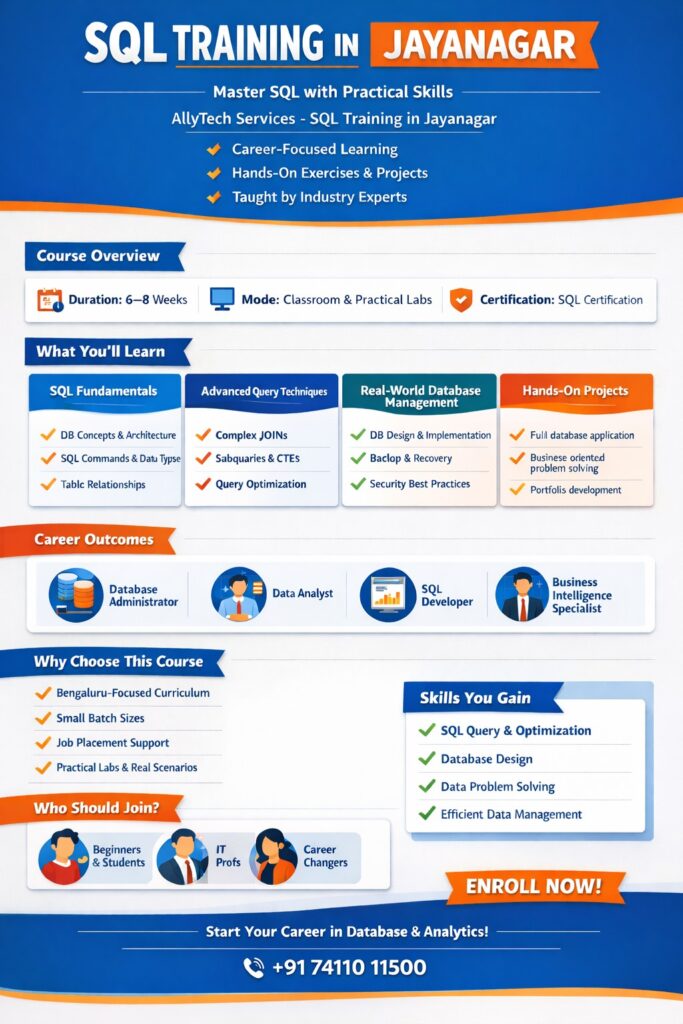
Extending Your SQL Skills Into a Complete Analytics Profile
Once your SQL is solid, the tools around it determine how visible your skills are to employers.
Advanced Excel transforms your SQL output into polished, stakeholder-ready deliverables. XLOOKUP, Power Query, Pivot Tables, and Macro automation together cover the reporting layer that most analytics roles require alongside SQL. For Jayanagar professionals targeting MIS or Reporting Analyst roles specifically, this combination — SQL + Advanced Excel — covers the majority of the technical requirement.
Power BI connects directly to SQL databases and converts your query results into interactive dashboards that update automatically. This is the visualisation layer. In Bangalore’s current job market, “SQL + Power BI” appears as a skill pair in a significant proportion of Data Analyst job descriptions. Learning them together makes the integration between data extraction and data presentation intuitive.
Data Analytics builds the business thinking that makes your technical skills commercially useful — how to frame problems, define metrics, and communicate findings to non-technical decision-makers. This is the layer that creates career progression beyond execution-level analyst work.
Full course details, batch schedule, and complete SQL syllabus: SQL Course in BTM
You can review AllyTech mentor/trainer details here: https://allytechservices.in/trainers
Recommended Practice Resources
W3Schools SQL Tutorial — Structured, interactive exercises ideal for drilling syntax and testing your understanding of each topic between sessions. Use it to reinforce what you’ve covered in class the same day.
Microsoft SQL Server Documentation — The authoritative reference for understanding exactly how SQL functions behave, including edge cases and NULL handling. When something doesn’t work as expected, the documentation explains why.
Stack Overflow SQL Tag — Real SQL problems posted by working professionals and developers. Reading through questions and accepted answers — even problems you didn’t attempt — rapidly expands your familiarity with the variety of SQL challenges that appear in real work and interviews.
Internal links
Primary money page :
https://allytechservices.in/courses/sql-course-btm/ | SQL Course in BTM
Other internal links:
https://allytechservices.in/contact-us/ | Contact Us
https://allytechservices.in/courses/advanced-excel-course-btm/ | Advance Excel Course
https://allytechservices.in/courses/power-bi-course-btm/ | power bi course
https://allytechservices.in/courses/data-analytics-course-btm/ | data analytics course
https://allytechservices.in/trainers | Our Trainers
https://allytechservices.in/govt-certification/ | Recognition
Outbound links (researched) – paste in URL | Anchor format
https://www.w3schools.com/sql/ | W3Schools SQL Tutorial
https://learn.microsoft.com/en-us/sql/sql-server/?view=sql-server-ver17 | Microsoft SQL Server documentation
https://stackoverflow.com/questions/tagged/sql?tab=Newest | Stack Overflow SQL questions
(These are good for daily practice + reference.)
Service Areas (include: Yes)
We support learners from nearby South Bangalore areas, including: BTM, Jayanagar, JP Nagar, Bannerghatta, Madiwala, Silkboard, Arakere.
Contact and Location
AllyTech Services B-1, Bannerghatta Slip Road, KEB Colony, New Gurappana Palya, 1st Stage, BTM Layout 1, Bengaluru, Karnataka 560029
📞 Phone / WhatsApp: 074110 11500 📧 Email: info@allytechservices.in 🔗 Enquire about batch timings, fees, and demo availability
Learners from these areas train with us regularly: Jayanagar · BTM Layout · JP Nagar · Bannerghatta · Madiwala · Silk Board · Arakere · Wilson Garden · Basavanagudi
→ Free demo class — no commitment, no deposit: Contact Us → Full SQL course syllabus and batch details: SQL Course in BTM
We do not make placement guarantee claims. Our focus is building the technical competence and problem-solving ability that makes candidates stronger in interviews — outcomes depend on consistent effort and practice.
Next-step CTA (exact)
Call / WhatsApp / Form
If you want the syllabus + demo, start here: https://allytechservices.in/contact-us/
If you want course overview first, see: https://allytechservices.in/courses/sql-course-btm/
FAQs (SQL Training Near Bangalore – Jayanagar / BTM)
(These are written to be different from your “SQL Courses” FAQ set.)
1) Is this SQL training suitable for absolute beginners?
Yes. A beginner-friendly SQL training should start with fundamentals and quickly move to joins and structured practice so you can solve interview questions confidently.
2) What is the most important SQL topic for interviews?
Joins are usually the first filter, followed by GROUP BY/HAVING, subqueries/CTEs, and window functions.
3) I’m in Jayanagar—can I attend if the center is in BTM?
Yes, learners from Jayanagar often choose nearby South Bangalore centers like BTM for batch flexibility and convenience.
4) Do you teach SQL for analytics roles (Data Analyst / MIS)?
A job-focused SQL course should teach extracting, cleaning, combining, and summarizing data—exactly what analysts do daily.
5) How do I know whether a course is practical, not theory?
Look for hands-on assignments, case studies, and interview-style practice sets (especially joins + window functions).
6) Do you provide a demo class before enrollment?
Many institutes offer a demo or counselling call. You can confirm the current demo option via the contact form.
7) How long does it take to become confident in SQL?
With consistent practice, most learners become comfortable with basics quickly, then build confidence in joins/CTEs/window functions over the next few weeks.
8) What should I learn after SQL to improve my job chances?
A common stack is SQL + Advanced Excel + Power BI, then add analytics fundamentals for end-to-end reporting.
9) Do you provide certificates/recognition info?
If certification/recognition matters to you, review the institute’s published recognition details before enrolling.
10) What is the best way to practice SQL daily?
Use an interactive tutorial (W3Schools), official documentation (Microsoft Learn), and troubleshoot real problems using Stack Overflow.
Final compliance note
We avoid claims like “100% Placement Support”